

一部アフィリエイトプログラムによる収益を得ています。
Rakuten Mobile has No English support?
Unfortunately, Rakuten Mobile has no English support as of now, and their official website is only displayed in Japanese. Therefore, to apply for Rakuten Mobile, a certain level of Japanese proficiency is required.
But don’t worry! 黑料不打烊 made an easy step-by-step English guide for you to apply for Rakuten Mobile! With this guide, you can start Rakuten Mobile even if you don’t understand any Japanese, as long as you have a “Residence card” or a “Special Permanent Residence Certificate”.
Best Unlimited Plan: “Rakuten UN-LIMIT VII”
Rakuten Mobile is a carrier service, and their current plan, Rakuten UN-LIMIT VII, is priced much cheaper than the three major carriers (Softbank, docomo, and au) and even some of the cheap SIM services. Their plan is priced from 1,078 yen (tax included) per month for 3GB or less, up to 3,278 yen (tax included) per month at maximum for unlimited data.
Their great service will surprise you with unlimited high-speed data communication capacity in the Rakuten network area, and unlimited domestic calls using the calling app “Rakuten Link”.
Rakuten Mobile New Plan: Rakuten UN-LIMIT VII Price List
| Monthly Charge (tax included) |
~1骋叠 | ~3骋叠 | ~20骋叠 | 20骋叠~ |
|---|---|---|---|---|
| 1,078 JPY (In July 2022, the price increased 0 JPY to 1,078 JPY) |
1,078 JPY | 2,178 JPY | 3,278 JPY | |
| Telecommunication standard | 4G?5G | |||
| Data Capacity | Rakuten Mobile network area:Unlimited Partner network area:5GB per month Network is still available at 1 Mbps even after the data capacity is exceeded |
|||
| Domestic call | ?"Rakuten Link" app:Free unlimited call Normal call:22 JPY per 30 seconds 15-minute?unlimited call service:1,100 JPY per month |
|||
| Official website | ||||
Step-by-Step guide: Rakuten Mobile Online Application For Foreigners
Step 1. Preparing the identity verification document
For foreign nationals, you can select one of the two documents listed below for your identification at Rakuten Mobile:
- Residence card (「在留カード」)
- Special Permanent Residence Certificate(「特別永住者証明書」)
Please make sure that all the information is captured clearly in the photo that you take to upload.
Step 2. Apply for “Rakuten UN-LIMIT Vll” online
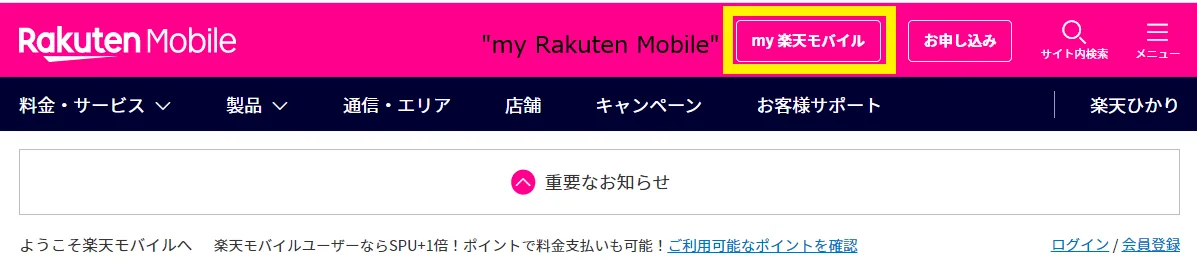
When you are ready, access Rakuten Mobile official website and click the "Apply (「お申し込み」)" button on the upper right.
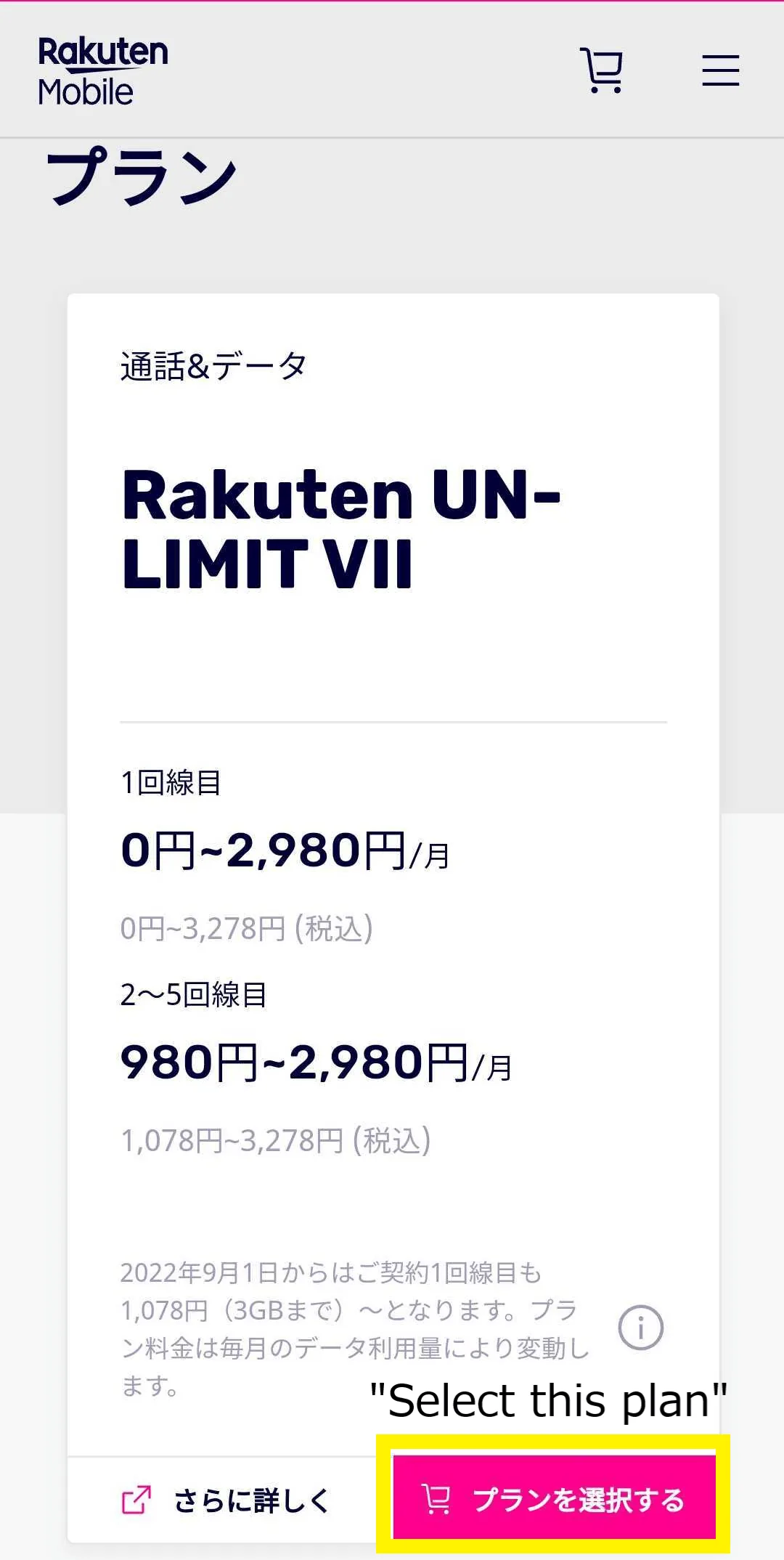
First tap “select a plan (「プランを選ぶ」) ” in Rakuten UN-LIMIT Vll section. Again, there is only one plan available at Rakuten Mobile.
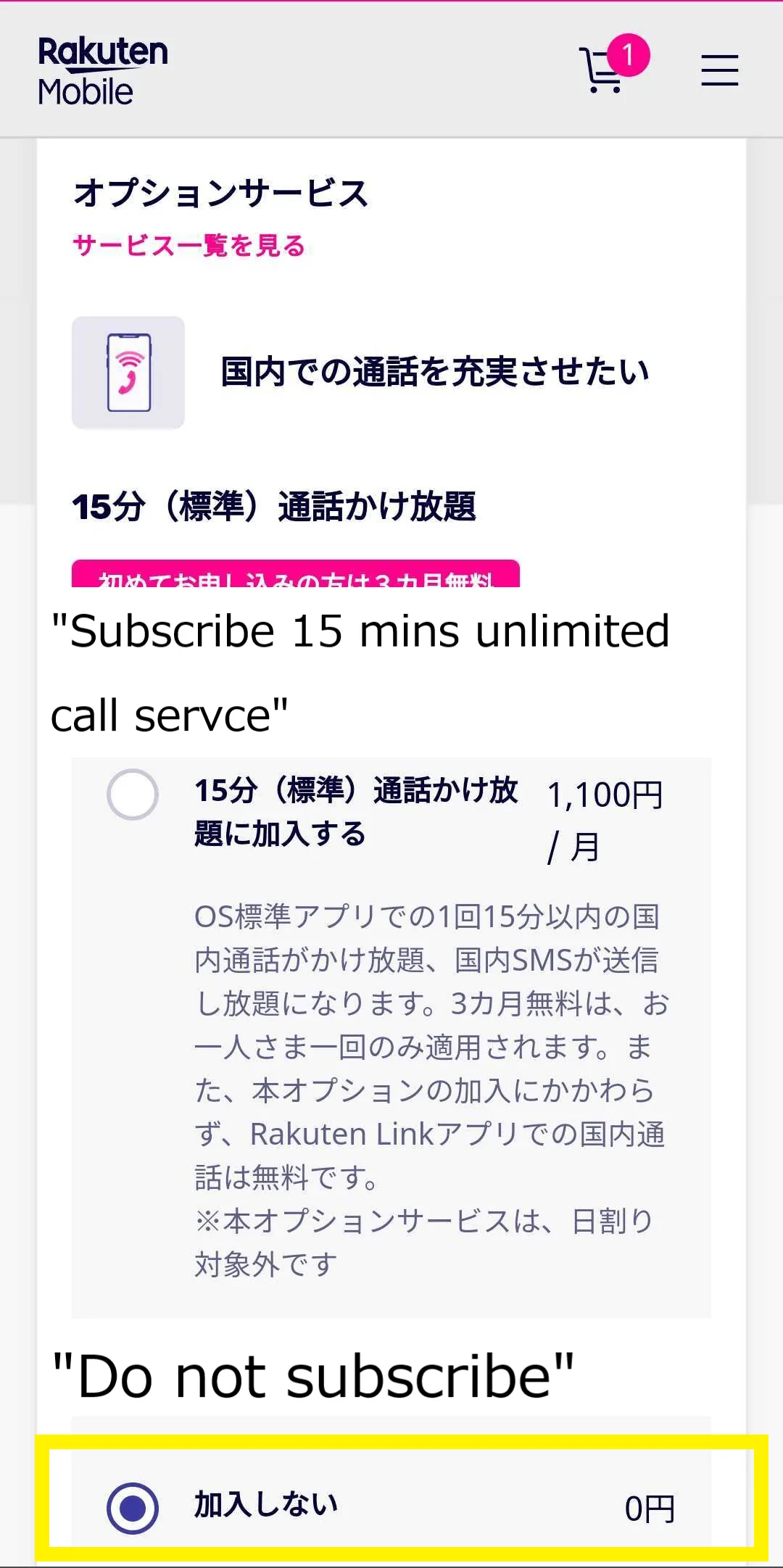
Then, tap “Do not subscribe(「加入しない」)” if you don’t need a 15 minutes unlimited call service. As this question is mandatory to answer, please make sure whether or not you need it. Again, by utilizing the “Rakuten Link” app, you can make unlimited domestic calls for free.
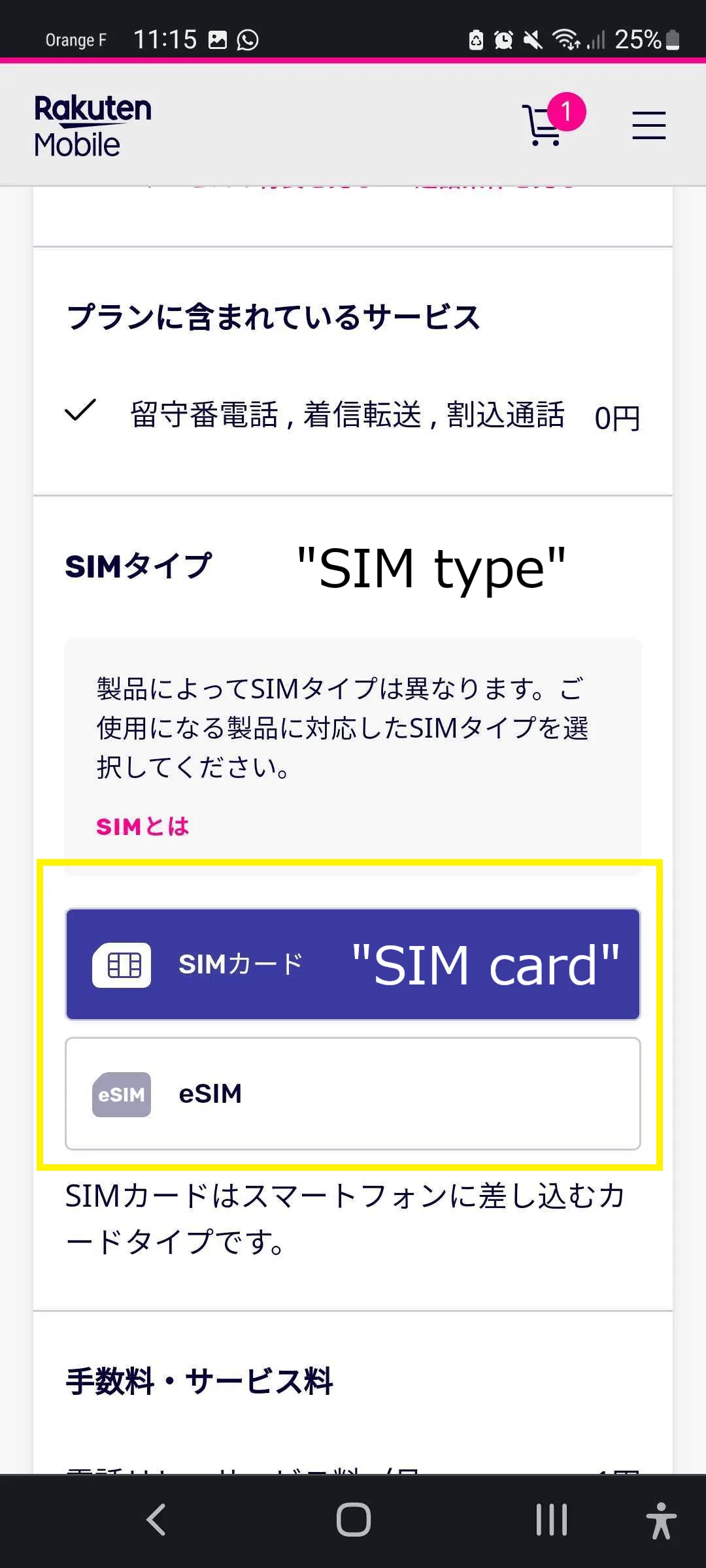
If you would like to buy a phone or subscribe to specific options, select them. Then, scroll down to the section of SIM type, and then pick “SIM card(「SIMカード」)” or “eSIM” according to the phone you will use.
Tap “Apply with this contents (「この内容で申し込む」)” after you finish choosing the options or a phone, then fill in your Rakuten account information.
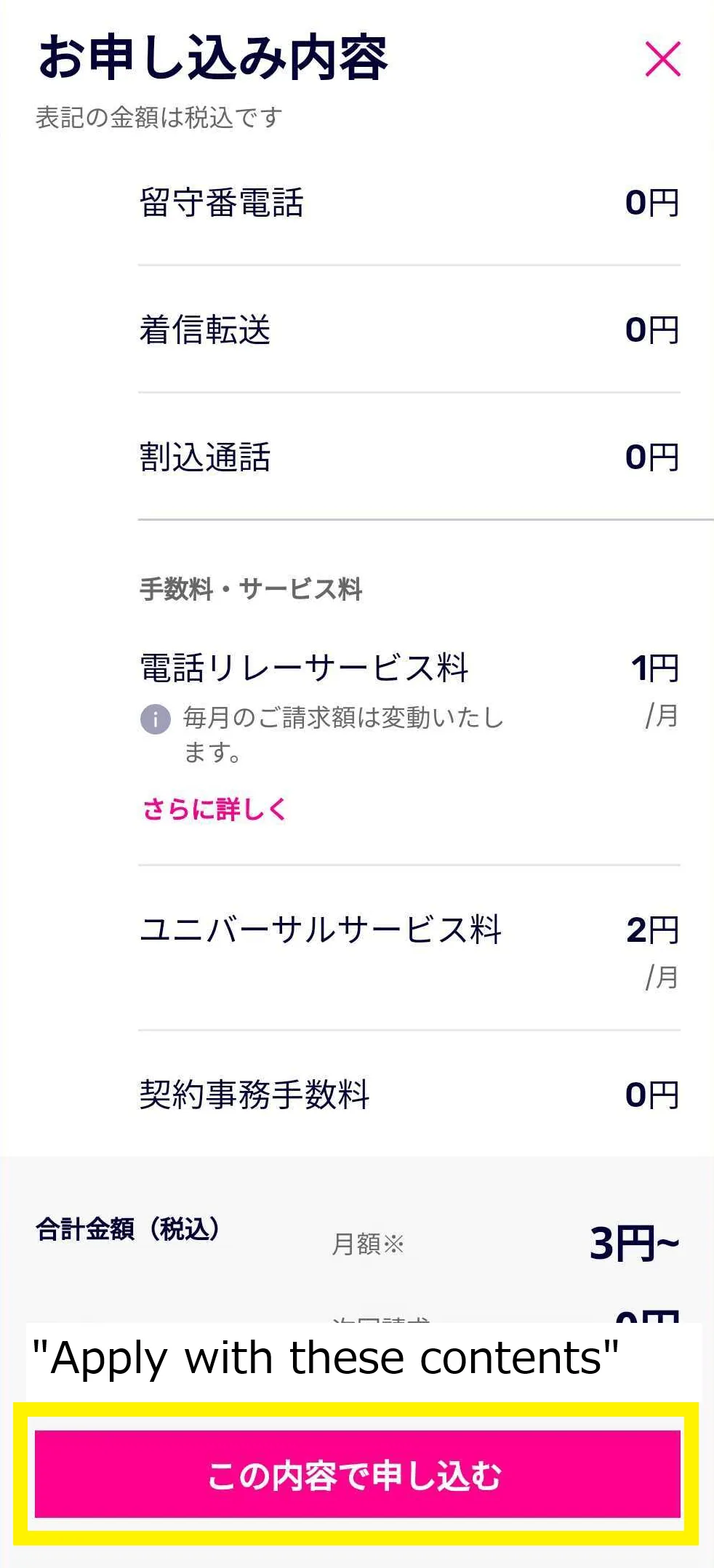
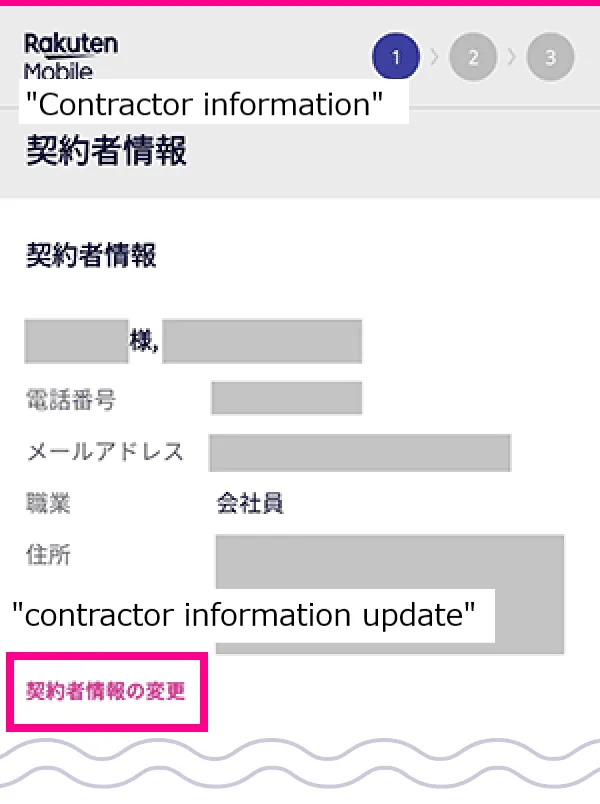
Step 3. Fill in customer information
See if the “contractor information (「契約者情報」)” is correct. If the information is incorrect, modify it from “update contractor information(「契約者情報の更新」)” as needed.
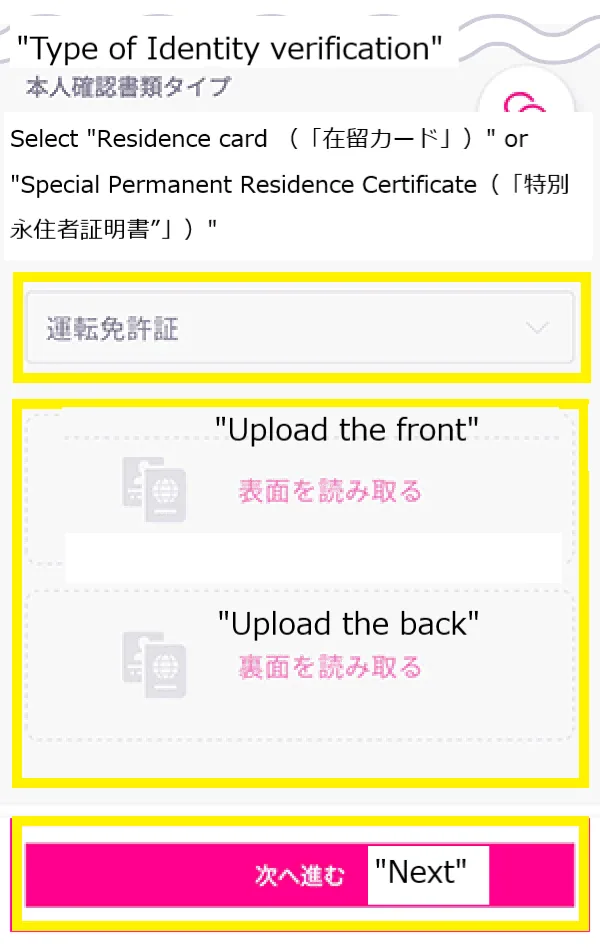
Select “Upload identity verification documents(「本人確認書類をアップロード」)”, then select the one that you would like to upload from “Residence card (「在留カード」)” or “Special Permanent Residence Certificate(「特別永住者証明書”」)”.
Upload a photo of the document according to the instruction. Make sure to upload a photo of the front(「前面」) and back(「裏面」).
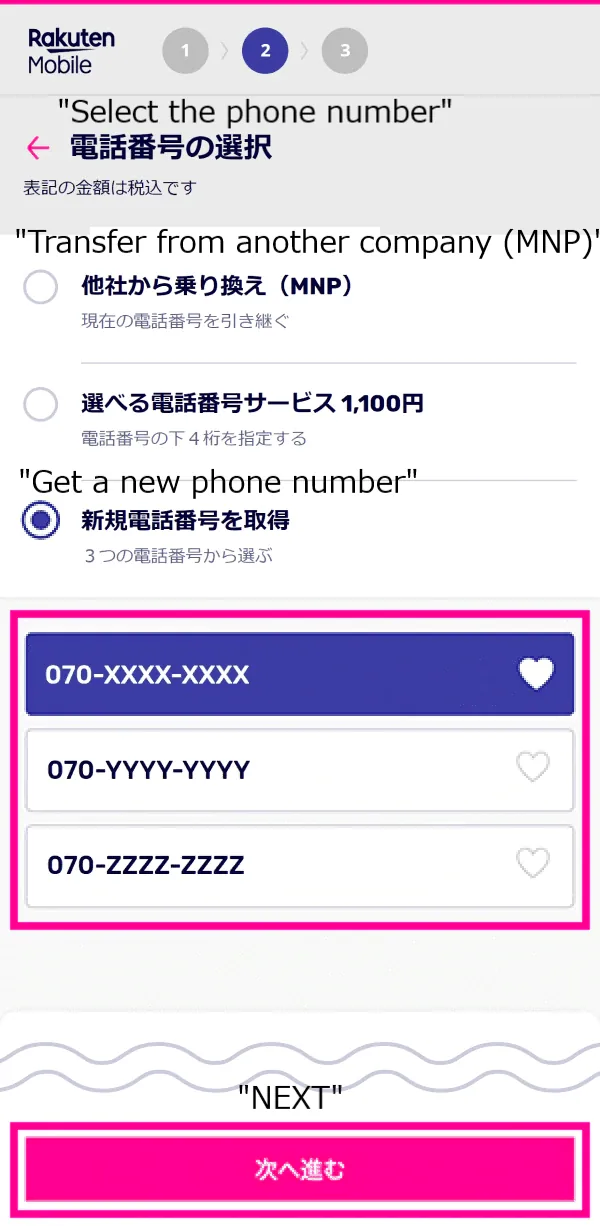
Select the phone number that you want.
- If you would like to transfer the phone number from another company, you need to input the number that you were using, the valid MNP number that you gained at the previous company, and its effective date.
- If you wish to "Get a new phone number(「新規電話番号の取得」)", select from the numbers displayed on the screen and tap "Next(「次へ進む」)".
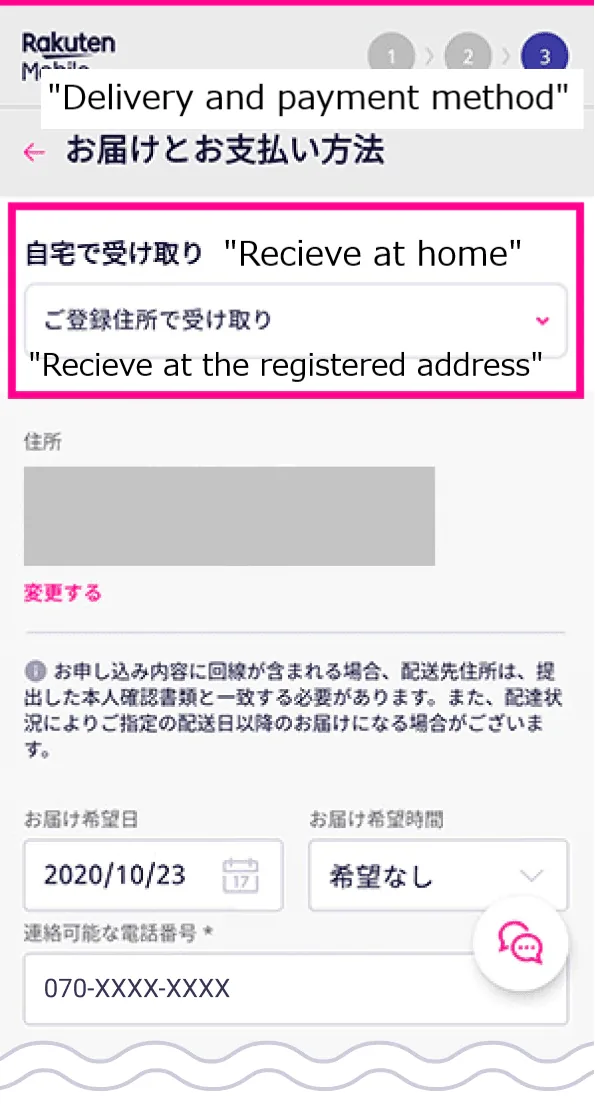
Select “Receive at the registered address(「ご登録住所で受け取り」)” to have a SIM card and the products that you choose sent to your home.
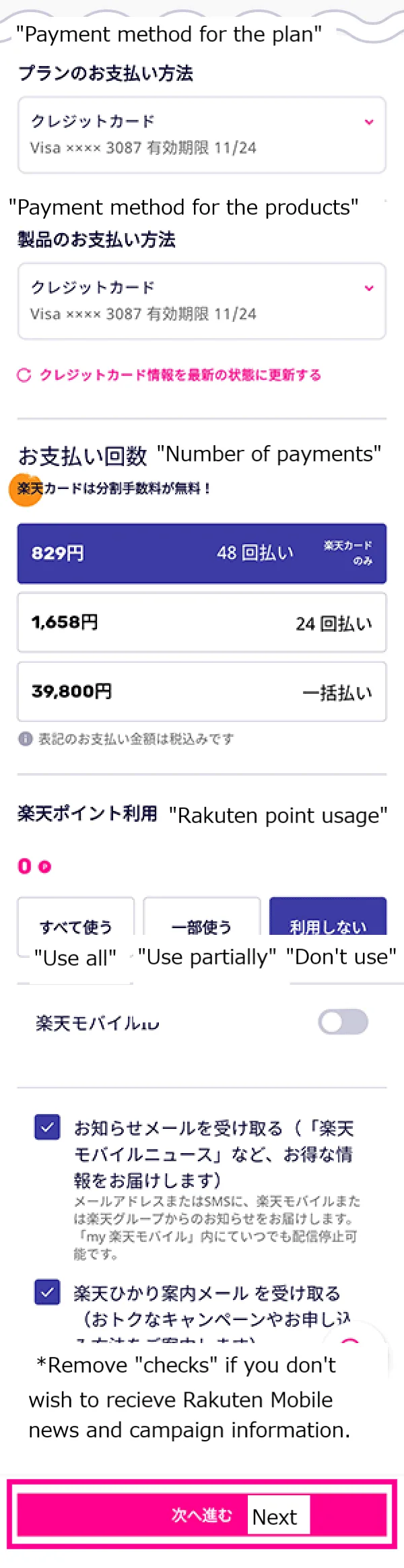
Select the payment method for each plan, product, accessory, etc., and whether or not to use Rakuten points, and tap "Next(「次へ進む」)" at the bottom.
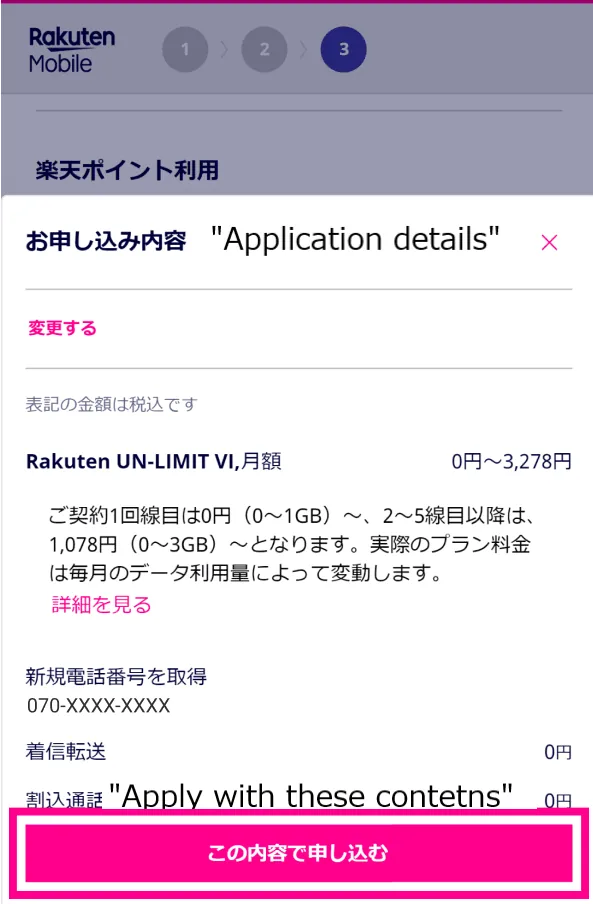
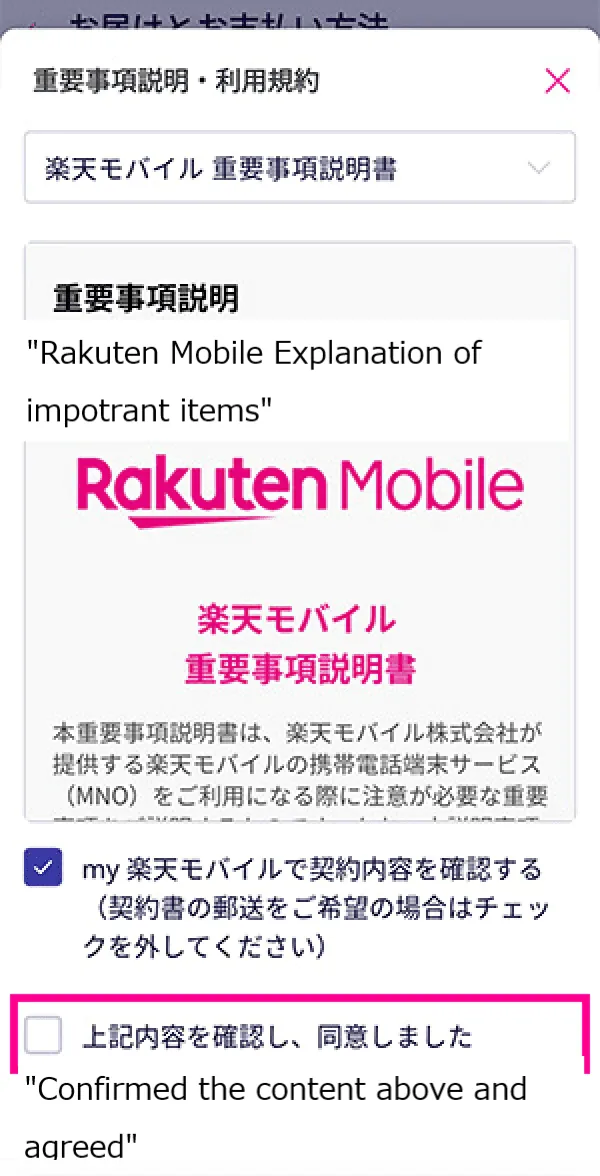
See if the information of your application is correct and tap "Apply with this content(「この内容で申し込む」)". Then, you check “I agree(「同意しました」)” for each terms of use (there should be a couple of terms).
It usually takes 2-3 days on average for a verification after you apply for “Rakuten UN-LIMIT Vll”. Then you will receive a SIM card by mail.
Step 4. Activate your Rakuten Mobile account
Once your verification is completed (and you receive a SIM card), let’s activate your Rakuten Mobile account.
To activate your account, download “my Rakuten Mobile(「my 楽天モバイル」)” app by accessing the internet and log in. Tap “open to traffic(「開通する」)” next to the phone number in the "contracted line (「お申し込み回線」)" section.
Now you are ready to start Rakuten Mobile!